EventBits, an Event Management App for monday.com
EventBits for monday.com is the ultimate Event Management solution for monday.com. Whether you’re handling small scale or medium scale Events, Eventbits siplifies the general end to end process of managing Events.
1. Installation
The app can be installed by administrators of your monday.com account by installing ‘EventBits’ directly from the monday.com marketplace.
To start using EventBits, you must add it to a workspace. You can create a new workspace or choose a workspace you already created.
After installing the app, you must add EventBits to your desired workspace. This can be done via the usual process using monday.com Marketplace or by using a template. Ensure to click use app after installation – EventBits will automatically create its required boards.
Installation from a template
EventBits has a zero-touch setup installation – after installing the app, click on ‘Use App’ after which the startup template will be installed in your defined Workspace.
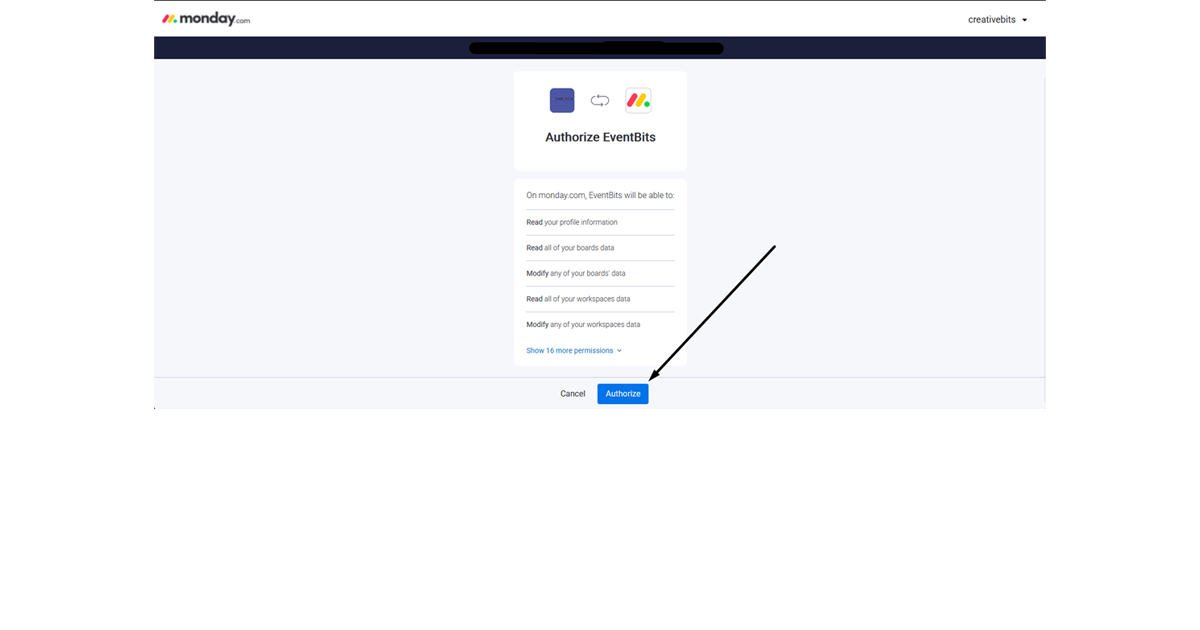
OAuth Installation (Click here)
This setup ensures your installed instance is connected to the backend Server and EventBits Webhooks are setup to complete the full installation
2. Features
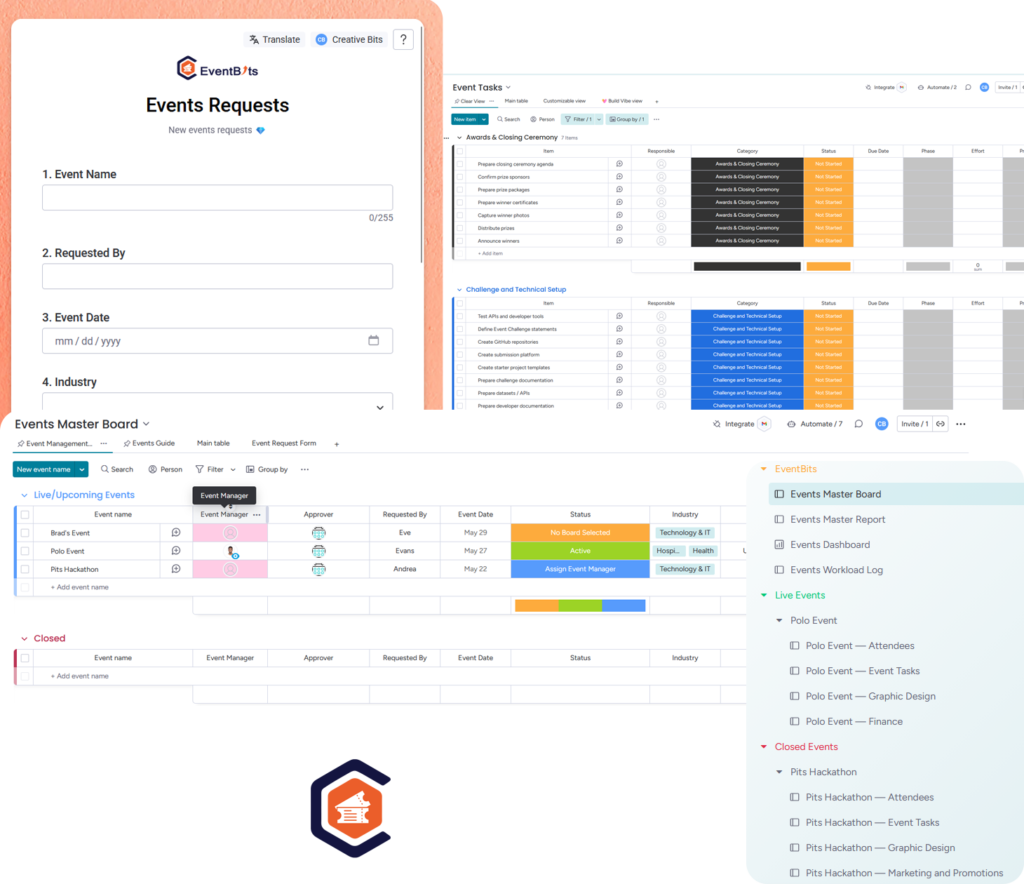
2.1 Manage your Events from the Event Master Board
The ‘TimeBits Projects’ board allows you to manage your projects, create & assign tasks and assign managers to your tasks.
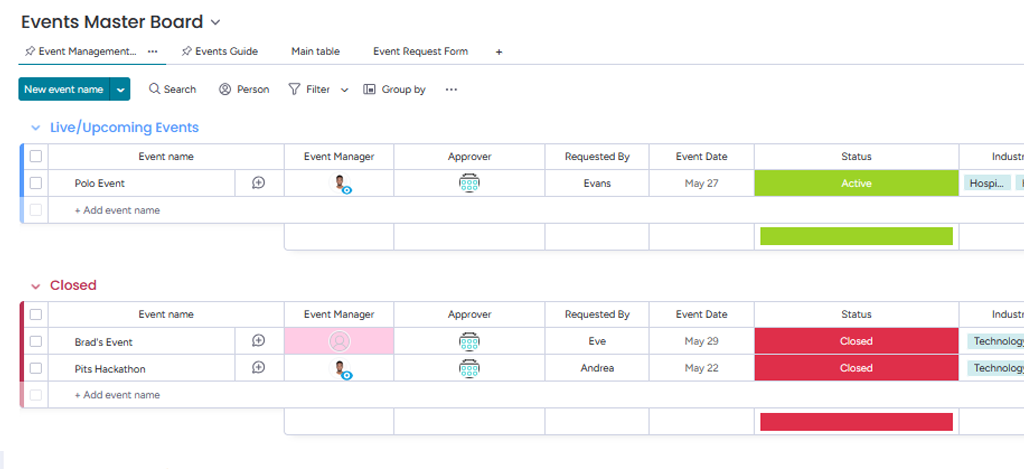
Step 1. Navigate to the ‘EventBits’ Master Board
Step 2. Add Events & other details to the Board
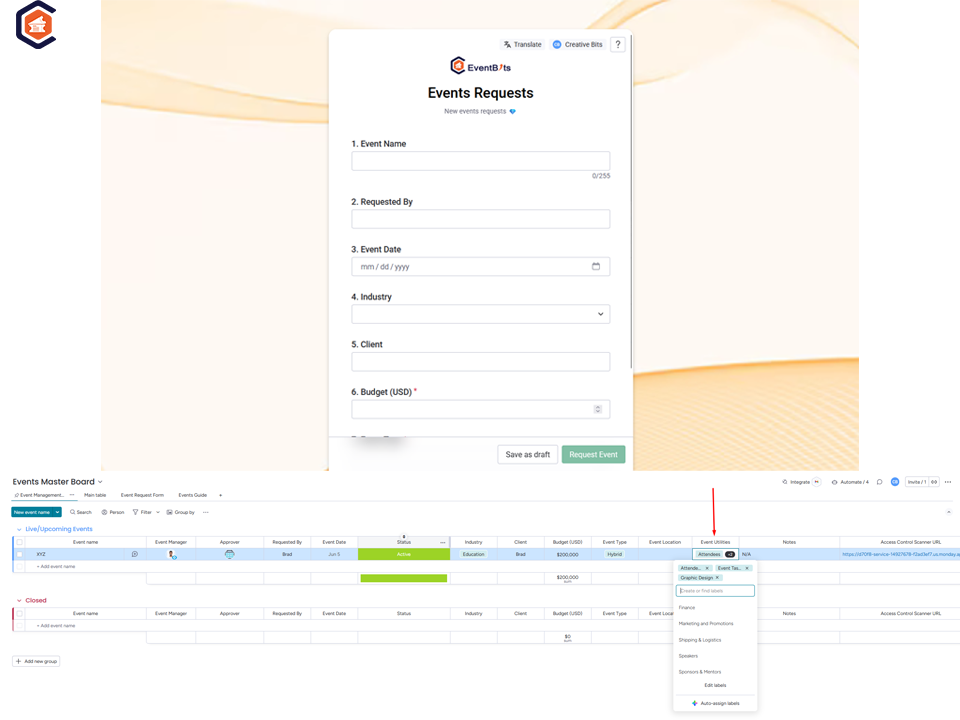
- Using the form view- internal team can request an Event which will be sent to the Event Approver.
- Create the below required teams from your monday.com Administration Section
- Event Shipping & Logistics Team
- Events Approvers Team
- Events: Graphics Design Team
Appropriate emails will be sent to the default teams for any assignment tasks before manual direct assignment.
1st Event Setup
Copy the sharerable form for internal teams who will be raising new events requests: once an entry is submitted it’s entered as an entry in the same Event Master Board
Once the form has been filled and added as an entry to the Event Master Board, proceed to select Event Utilities(App Board Templates) which will be added to your created Event.
3. Enhanced Reporting
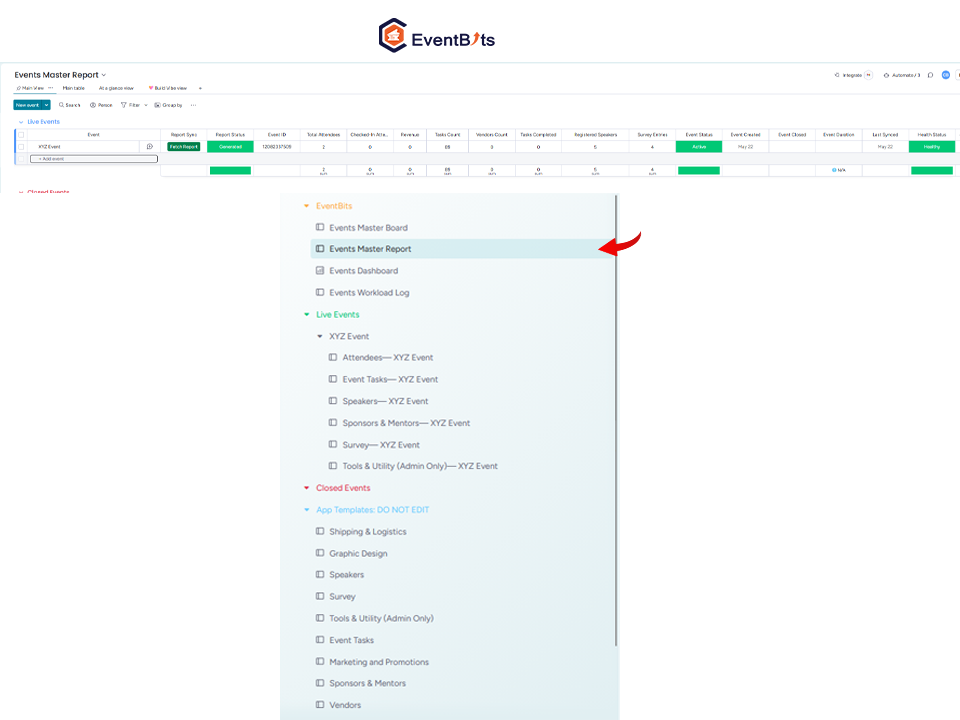
Track:
1. Total number of Attendees
2. The number of checked in Attendees
3. Total Task Count
4. Tasks Completed
5. Vendors per Event
6. Registered Speakers per Event
7. Survey Entries
Packaged Application Tools
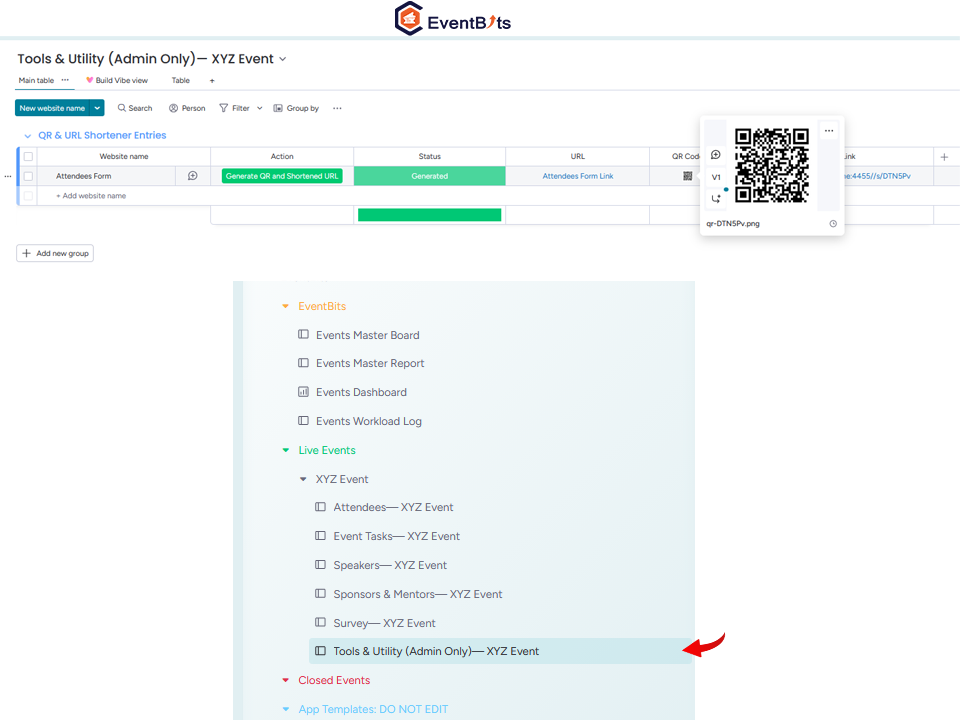
1. Quickly generate printable/shareable QR Bar Codes for your socials or Posters
2. Long URLs? Generate a short shareable URL
Out of the Box Integrated Tools
⚡ Smart QR Code Generator Quickly generate high-quality, customizable QR codes for social profiles, event posters, or print media.
🔗 Premium URL Shortener Transform long, clunky links into clean, shareable URLs that are easy to track and memorable for your audience.
System Instructions
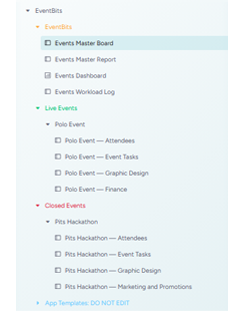
This app contains folders required to keep it running smoothly. Do not attempt to make changes to the boards/folders labelled ‘Do Not Edit’